Click to enlarge
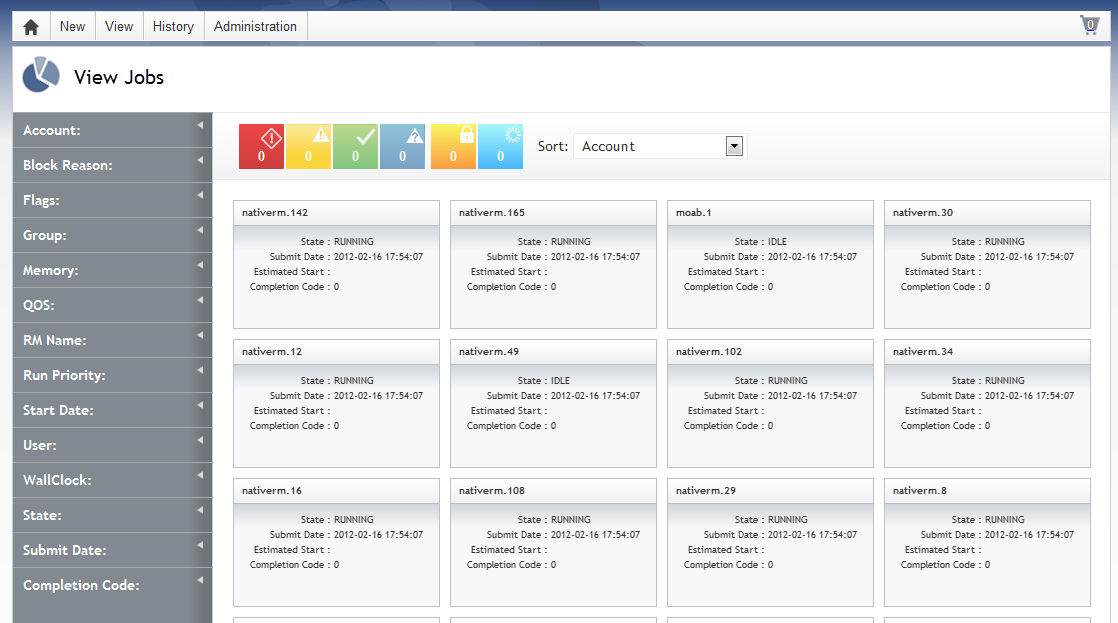
The Viewpoint View Jobs page lets you view all your Moab jobs. This page displays all jobs in a summary (tile) view. You can also select one specific job tile to view its details. In the jobs tile view, you can use sorting options to quickly find what you're looking for (for more information, see Filtering and sorting).
Access the View Jobs page by navigating to View > Jobs.
For more information, see these sections:
Viewing job summaries in tile display
When you open the View Jobs page, tiles display representing each Moab job.
|
|
|
Click to enlarge |
Each tile contains a summary information about the job it represents, including the following:
| Field | Description |
|---|---|
| Name | Name of the job |
| Submit Date |
Date and time job was submitted For example: 2012-02-16 13:56:13 |
| Estimated Start | Estimated start date and time |
| Completion Code |
Completion code |
Click any job tile to see its detail information. The details view contains all of the same content as the summary tile view and the following additional information:
| Field | Description |
|---|---|
| Account | Account used to create the job |
| Block Reason | Reason the job is blocked (if blocked) |
| Holds | List of holds on the job |
| Messages | Any messages associated with the job |
| QOS Requested | Requested Quality of Service for the job |
| Run Priority | Run priority of the job |
| Active Duration | How long the job has been active |
| Flags | Any flags that exist on the job |
| ID | Job ID |
| Queue | Name of the queue assigned to the job |
| Start Date | Date and time the job was started |
| User | User that submitted the job |
| Allocated Nodes | Nodes where the job will run |
| Completion Date | Date the job was completed |
| Group | Group under which the job is running |
| Memory | Amount of memory (in MB) requested for the job |
| QOS | Allocated Quality of Service for the job |
| RM Name | Resource manager name |
| State | State of the job (Running, Down, etc.) |
| Wall Clock | Amount of time allocated the job |
Related topics
© 2012 Adaptive Computing